
Why Your Google Search Console Clicks Don't Match GA4 Pageviews

By Bennett Cohen
Get Maintouch
Turn search and AI visibility work into a repeatable growth system.
Search Console says 1,500 clicks. GA4 says 700 sessions. You refresh both dashboards thinking one of them lagged, but the gap holds.
The mismatch happens because each tool measures a different part of the funnel. Search Console logs clicks on Google's side the second someone selects your result, before the page loads. GA4 only counts sessions after your site loads and the tracking script fires in the visitor's browser.
Between the click and the session start, consent rejections, blockers, and JavaScript failures strip out half the traffic in some cases. The two numbers were never built to match, and trying to force them into alignment wastes hours you could spend reading the trend instead.
TLDR:
- GSC counts clicks server-side before your page loads. GA4 tracks sessions client-side after your JavaScript tag fires.
- Cookie consent rejections, ad blockers, and privacy browsers stop GA4 tags from firing while GSC keeps counting, creating discrepancies past 50% on some sites.
- GA4's 30-minute session window groups repeat clicks into one session. GSC logs each click separately.
- GA4's six-month attribution lookback credits direct visits back to organic search, so one GSC click can generate multiple GA4 sessions.
- Maintouch connects both tools directly, normalizes the gap, and surfaces GSC for indexing alongside GA4 for conversions in one view.
What Google Search Console Clicks and GA4 Sessions Actually Measure
A Google Search Console click and a GA4 session sit at two different moments in the same trip.
One happens before the visitor reaches your site. The other happens after.
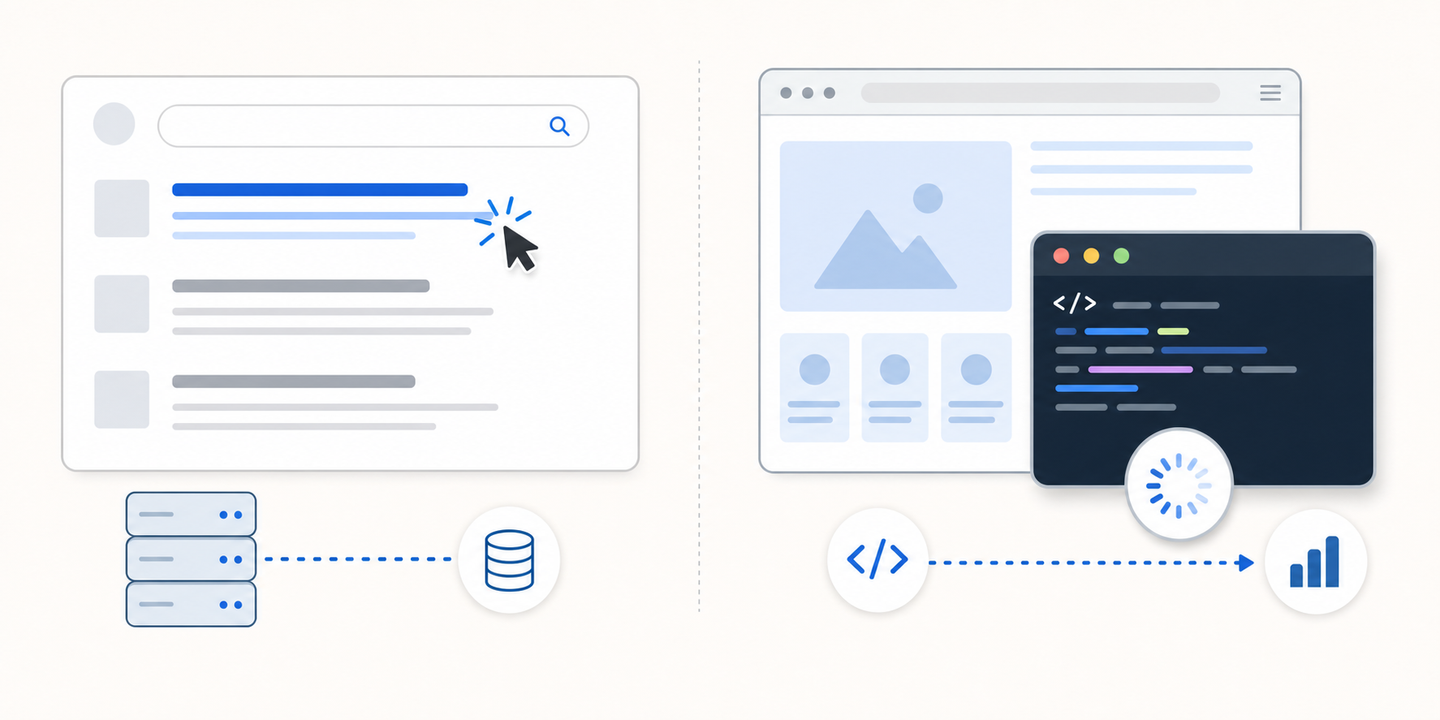
Search Console counts a click the instant someone selects your link in Google's results. That measurement lives on Google's side. Google owns the search results page, so it logs the click server-side the moment it fires, before your site loads a single thing. No tag on your end ever runs.
According to Search Console's own documentation, the data reflects activity inside Google's results, not on your pages.
GA4 works the other way around. It records a session only once the visitor lands and your JavaScript tag executes in their browser. That's client-side tracking, and it depends entirely on the page loading and the script running.
The two tools watch different stages:
- GSC: the click in search results, measured by Google before the visit begins.
- GA4: the session on your site, measured by your tag after the page loads.
Treating these as two counts of the same event is where the confusion starts. A user who never completes the journey from click to load shows up in one tool and vanishes from the other.
Why GA4 Loses Sessions That GSC Captures
GSC keeps counting because Google logs the click before your site has a say.
GA4 needs cooperation from the browser, and plenty of browsers refuse to give it.
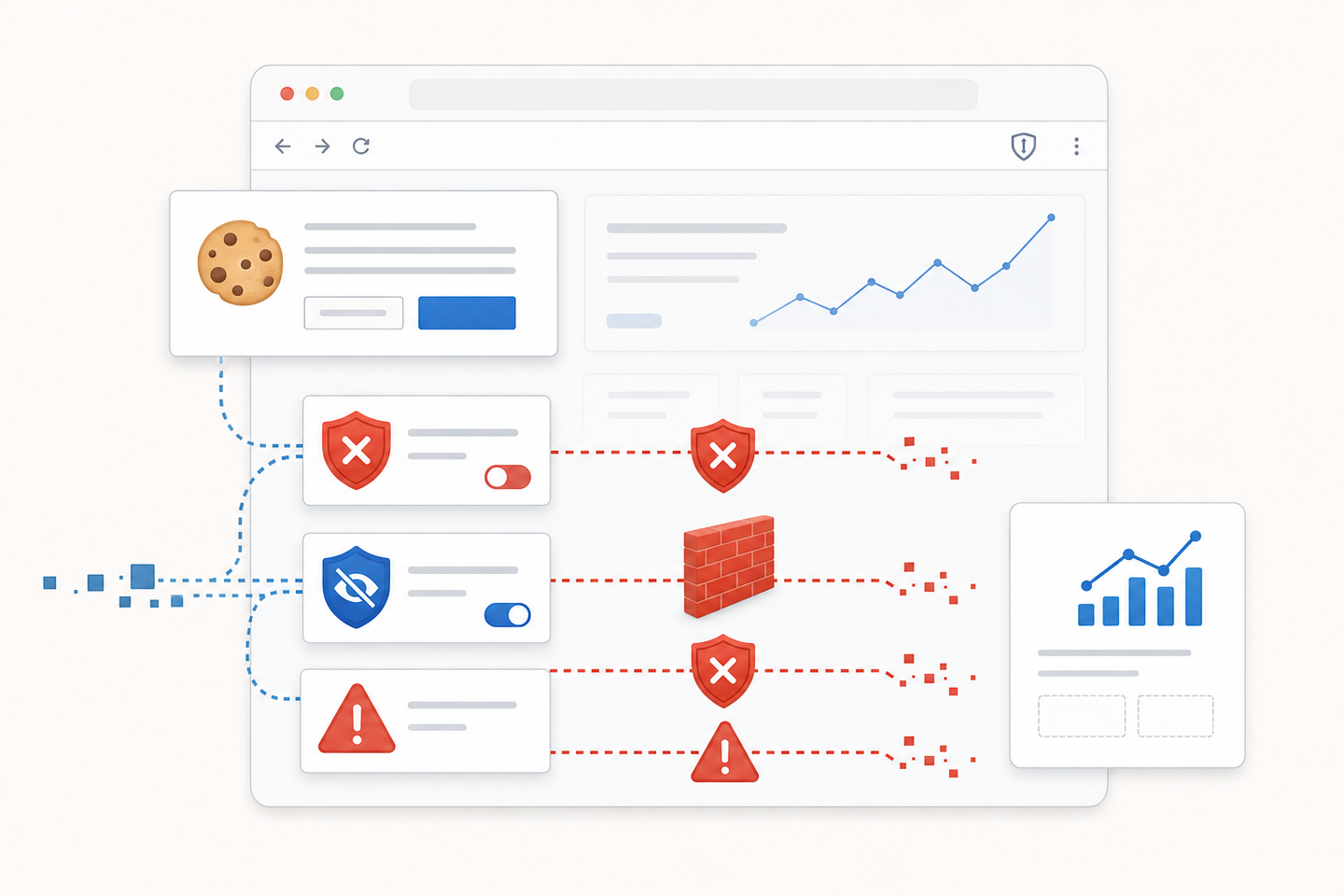
What stops the tag:
- Cookie consent rejections. When a visitor declines analytics cookies, Consent Mode v2 blocks GA4 hits. The click already registered in GSC. The session never gets recorded.
- Ad blockers and privacy extensions. uBlock, Brave's built-in shields, and similar tools block the GA4 script outright.
- JavaScript failures. If the page bails before the tag loads or the script gets blocked at the network level, nothing fires.
- Privacy browsers. Safari's ITP and Firefox's tracking protection drop or limit the request.
The gap's gotten worse through 2025 and into 2026. Consent Mode v2 enforcement plus rising blocker adoption now leaves some sites watching the gap widen well past what older benchmarks predicted, with GSC sometimes reporting close to double what GA4 records.
How Session Windows Make the Same User Look Different
Even when every tag fires correctly, the counting logic disagrees.
GA4 groups activity into sessions. A session stays open for 30 minutes of inactivity by default. GSC has no such concept; it counts a click each time someone picks your link.
A visitor clicks your result, hits back, scans the results again, and clicks the same link two minutes later. GSC logs two clicks. GA4 sees one continuous session, because the second visit landed inside the 30-minute window.
The reverse happens too. Someone lands, gets pulled into a meeting, returns 40 minutes later. GSC recorded a single click. GA4 starts a fresh session on the second burst of activity, so one click turns into two sessions.
Neither tool's broken. The session window just bends the same person into different shapes depending on how you're counting.
The Attribution Problem That Inflates GA4 Numbers
So far the gap runs one way, with GSC ahead. The reverse happens too, and the cause is how GA4 assigns credit.
GA4 runs on a last non-direct attribution model. When someone returns by typing the URL or hitting a bookmark, GA4 doesn't file that as direct. It looks back, finds the original organic click that first brought them in, and credits the new session to organic search instead.
That lookback window stretches up to six months.
One GSC click can generate multiple organic sessions:
- First visit: a real organic click, counted by both tools.
- Bookmarked return two weeks later: GA4 logs another organic session. GSC logs nothing.
- Direct type-in a month after: GA4 ties it back to organic again.
This attribution carryover is why high-loyalty sites can show more GA4 organic sessions than GSC clicks.
GSC Data Thresholding and Privacy Filtering
Up to now I've treated GSC as the complete count.
It isn't.
Google strips low-volume queries out of GSC for privacy reasons. Any query rare enough to risk identifying an individual gets dropped before you ever see it. The query report you're staring at is a partial picture, and independent audits have suggested a large share of impressions, often the majority, get filtered out this way, with click filtering trailing behind.
When you line up GSC clicks against GA4 sessions, you're comparing two incomplete datasets. GSC has already hidden a chunk of its own activity before the numbers reach your screen.
The match was never going to be clean.
Aligning the Numbers for Reporting
Stop trying to make the two numbers match. They won't, and chasing a clean tie-out wastes hours.
Set them up correctly, then read them for direction.
Three things to fix:
| Setting | What to do |
|---|---|
| Date range | Use identical start and end dates in both tools. |
| Timezone | GSC defaults to Pacific time. Match your GA4 property to the same zone or expect a one-day drift at the edges. |
| Source filter | In GA4, filter to Google organic only. GSC reports Google. If GA4 is showing Bing, DuckDuckGo, and the rest, you're comparing a wider pool. |
Once that's aligned, watch the trend lines instead of the absolute counts. If GSC clicks climb and GA4 organic sessions climb alongside them, your organic reporting is sound.
A sudden divergence between the two curves is the real signal worth chasing, because it usually points to a tracking break (check your GA4 tag and Consent Mode setup), not a traffic change.
How Maintouch Unifies Search Console and GA4 Analytics
I've spent this whole piece telling you the two numbers won't match, and they won't.
Maintouch replaces your SEO agency with one system that handles the alignment work automatically. It connects to both Search Console and GA4 directly, normalizes the gap through its data pipeline, and surfaces GSC for indexing and ranking alongside GA4 for engagement and conversions in one view.
You get the combined picture and the next action, not two dashboards to babysit.
Final Thoughts on Aligning Search Console and GA4 Data
The gap between these numbers isn't a bug you can fix. One counts clicks in Google's results, the other counts sessions after your tag fires, and neither dataset is complete.
Set your filters right, compare trends instead of totals, and move on.
I've been doing SEO for over a decade, and Maintouch serves hundreds of marketers. If you want help aligning your analytics setup or just need someone to look at the gap and tell you whether it's normal, shoot me a message.
No forms, no demo pressure, just a straight read on what you're seeing.
FAQ
Why does GA4 show fewer sessions than my Google Search Console clicks?
GA4 only records sessions when the page loads and the JavaScript tag fires in the browser, while Google Search Console logs the click server-side before your site loads at all. Cookie consent rejections, ad blockers, JavaScript failures, and privacy browsers stop the GA4 tag from firing, so the session never gets counted even though GSC already logged the click.
Google Search Console clicks vs GA4 sessions: which one should I trust for reporting?
Don't try to make them match. Set up identical date ranges, timezone alignment, and source filters, then watch the trend lines instead of absolute counts. If both curves move together, your tracking is solid. A sudden divergence signals a tracking break, not a traffic problem.
Can GA4 organic sessions exceed Google Search Console clicks?
Yes, because of attribution carryover. GA4 uses a last non-direct model with a six-month lookback window, so when someone bookmarks your page or types your URL directly weeks after the original organic click, GA4 credits it back to organic search. One GSC click can generate multiple GA4 organic sessions over time, especially on high-loyalty sites.
How much of a gap between GSC clicks and GA4 sessions is normal?
A 20-30% discrepancy is typical for most sites, but it's gotten worse through 2025 and into 2026. With Consent Mode v2 enforcement and rising ad blocker adoption, some sites now see gaps past 50%, where GSC reports roughly double what GA4 records. The gap depends on your audience's privacy preferences and browser choices.
Does Consent Mode v2 affect the click vs session gap?
Yes, substantially. When visitors decline analytics cookies, Consent Mode v2 blocks GA4 hits entirely while GSC keeps counting the click on Google's side. Since enforcement tightened in 2025, this has become one of the biggest drivers of the widening gap between the two tools.
What's the difference between a click and a session?
A click happens in Google's search results before your page loads, measured server-side by Google. A session happens on your site after the page loads and your JavaScript tag fires, measured client-side in the visitor's browser. They're two different moments in the same journey, which is why they'll never match perfectly.
Should I use GSC or GA4 to measure organic traffic performance?
Use both, but for different things. GSC tells you how your pages perform in search results: impressions, clicks, rankings. GA4 tells you what happens after visitors land: engagement, conversions, session duration. Watch the trend lines in both tools instead of trying to match the absolute counts.
How do I fix a sudden spike in the gap between GSC and GA4?
A sudden divergence between the two trend lines usually signals a tracking break, not a traffic change. Check that your GA4 tag is still firing, verify your Consent Mode setup hasn't changed, and make sure no network-level blockers got introduced. If both curves still move together directionally, the tracking is probably fine and the gap is just wider than before.
Why does GA4 group multiple clicks into one session?
GA4 uses a 30-minute session window by default. If someone clicks your link, hits back, then clicks again two minutes later, GSC logs two clicks but GA4 sees one continuous session because the second visit landed inside the window. The reverse happens too: one click can become two sessions if someone returns after the window expires.
Turn search into your best growth channel.
Maintouch tracks your visibility across AI and Google, creates and refreshes content, and gets your brand mentioned on the sites that shape discovery.
Book a demoRelated reading
All posts