
How to Do SEO Yourself: A Complete DIY Guide for September 2026

By Bennett Cohen
Get Maintouch
Turn search and AI visibility work into a repeatable growth system.
Everyone says learn SEO yourself to avoid agency fees, but they skip the part where it takes ten to fifteen hours a week for months before you see traction. If that time doesn't exist, you're stuck.
I'll walk through keyword research, on-page optimization, technical fixes, content creation, and backlink building so you know exactly what you're signing up for. My goal is you finish this knowing whether DIY fits your reality or if outsourcing execution makes more sense while you focus on the business.
TLDR:
- Organic search drives 53% of website traffic and costs nothing per click after you rank.
- Long-tail keywords convert better and make up most searches, skip high-volume terms big brands own.
- DIY SEO takes 4-15 hours weekly for content, technical checks, and link building to see results.
- 95% of pages have zero backlinks, earn yours through guest posts and resource page pitches.
- Maintouch automates strategy, on-page fixes, content, and backlinks in 15-20 minutes weekly.
What Is SEO and Why It Matters for Your Business
SEO stands for search engine optimization: the practice of getting your pages to rank in Google, Bing, and AI search results so people searching for what you sell find you instead of a competitor.
Organic search drives roughly 53% of all website traffic according to BrightEdge's research on channel share, making it the single largest acquisition channel for most businesses. Every other channel costs money per click. Ranking does not.
You're building an asset that keeps pulling in qualified traffic long after the work is done, with no recurring ad bill attached.
Understanding How Search Engines Actually Work
Search engines run on three steps. Get these straight and every tactic later will make sense.
- Crawling: bots like Googlebot follow links across the web, hitting your pages to read what's on them. If a page can't be crawled, it doesn't exist to Google.
- Indexing: Google stores and files what it crawled. Only indexed pages can show up in results.
- Ranking: when someone searches, Google sorts indexed pages by relevance and quality, then orders them.
Your SEO work maps onto each step. Technical fixes help crawling. Clean content and structure help indexing. Keywords, links, and quality push ranking.
Core SEO Terminology You Need to Know
The SEO world is buried in jargon, and that's half the reason it feels harder than it is. Here's what you need to know, defined plain.
- Keyword: the word or phrase someone types into search. Your target keyword is the one you want a page to rank for.
- SERP: the search results page Google shows after a query. Aim for a spot near the top.
- Search intent: what the searcher actually wants. Match it or you won't rank.
- Backlink: a link from another site to yours. Google reads these as votes of confidence.
- Anchor text: the clickable text inside a link. Google uses it as a hint about what the linked page covers.
- Domain authority: a third-party score (from tools like Moz or Ahrefs) estimating how strong a site's backlink profile is. Higher domains tend to rank easier.
- Meta tags: snippets in your page's HTML head, like the title tag and meta description, that tell Google and searchers what the page is about.
- Canonical tag: tells Google which version of a duplicate or similar page is the primary one to index.
- Nofollow vs dofollow: a nofollow link tells Google not to pass ranking credit; dofollow (the default) passes it. Most editorial backlinks you want are dofollow.
- Crawlability: whether bots can reach and read your pages.
- Indexing: whether Google has filed your page so it can appear in results.
Setting Up Your SEO Foundation: Tools and Analytics
Before you optimize a single page, get your measurement in place. You can't fix what you can't see.
Two free tools cover it:
- Google Search Console: shows what queries you rank for, your impressions, clicks, and indexing problems. Set it up first. Add your property, paste your domain, verify through DNS or CMS.
- Google Analytics 4: tracks what people do once they land. Connect it to Search Console.
Paid tools like Semrush or Ahrefs help with keyword research, but start free.
Keyword Research: Finding What Your Customers Actually Search
Start with what people type, not what you wish they typed.
Pull the actual phrases your customers search, then pick what you can realistically win.
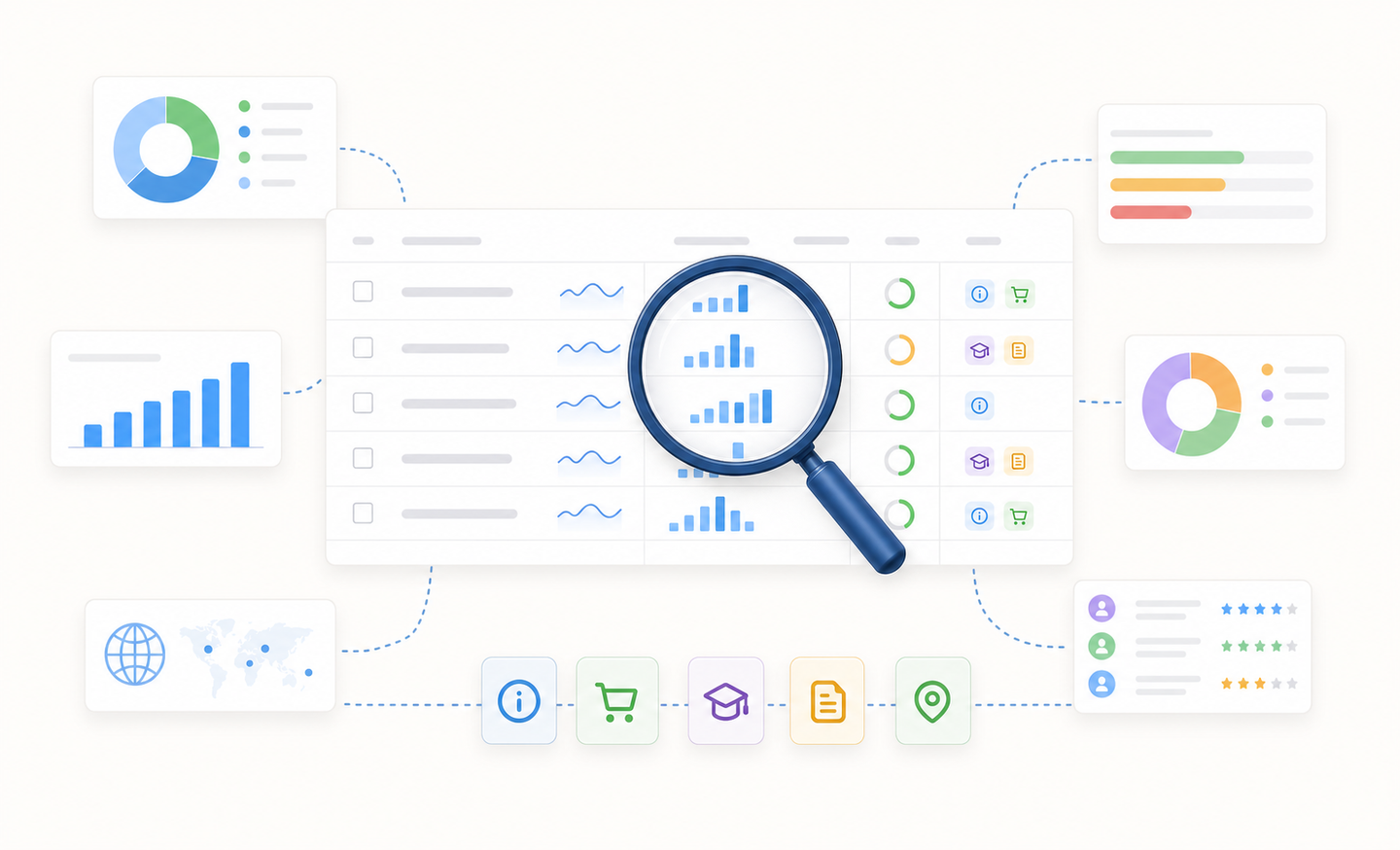
Three things to weigh:
- Search volume: monthly searches. Higher is tempting, harder to rank.
- Competition: who ranks now. If page one is all big brands, skip it.
- Intent: match page type to the searcher. Informational query gets a guide, buying query gets a product page.
Go after long-tail queries like "how to do seo for website step by step." They make up most searches and convert better.
Pull ideas from Search Console, expand with free and paid keyword research tools, then write for the winnable ones first.
On-Page SEO: Optimizing Your Content and Metadata
On-page SEO is everything you control directly on a single page. No outreach, no developer, no budget.
- Title tag: keyword near the front, under 60 characters or Google truncates it in results. This is the blue link searchers click.
- Meta description: a tight summary under 155 characters that earns the click.
- Header tags: one H1 with your keyword, then scannable H2s and H3s.
- URL structure: short, readable, keyword included.
- Keyword placement: first paragraph, a couple headers, the body. Don't stuff it.
Creating SEO-Friendly Content That Ranks and Converts
On-page mechanics get you found. Content decides whether you rank and whether anyone buys.
Start with intent. Look at what already ranks for your keyword and match the format. If page one is all how-to guides, a sales page won't break in.
Answer the searcher fast, then go deeper than the competition.
- Short paragraphs, two or three sentences each.
- Descriptive H2s and H3s so readers can jump around.
- Bullets and tables for anything list-like.
Work keywords in where they read naturally. If a sentence sounds robotic out loud, rewrite it.
On AI content: AIOSEO's 2024 analysis found it accounted for roughly 17% of Google's top 20 results, and the share has only grown since. Google ranks plenty of it. What it penalizes is thin, generic output. Add your own data and firsthand experience, and you clear that bar.
Technical SEO Basics: Making Your Site Crawlable and Fast
Technical SEO scares people off, so they skip it. Don't. These fixes move rankings and none need a developer.
- Speed: compress images, kill unused scripts. Aim for sub-3-second loads.
- Mobile: most searches are mobile. Test in Google's mobile-friendly tool.
- HTTPS: get an SSL certificate. Google treats it as a ranking signal.
- XML sitemap: generate one, submit it in Search Console.
- Robots.txt: confirm you aren't blocking pages you want indexed.
- Broken links: crawl your site, fix 404s and bad redirects.
Run through this monthly.
Building Backlinks: Earning Links Without an Outreach Team
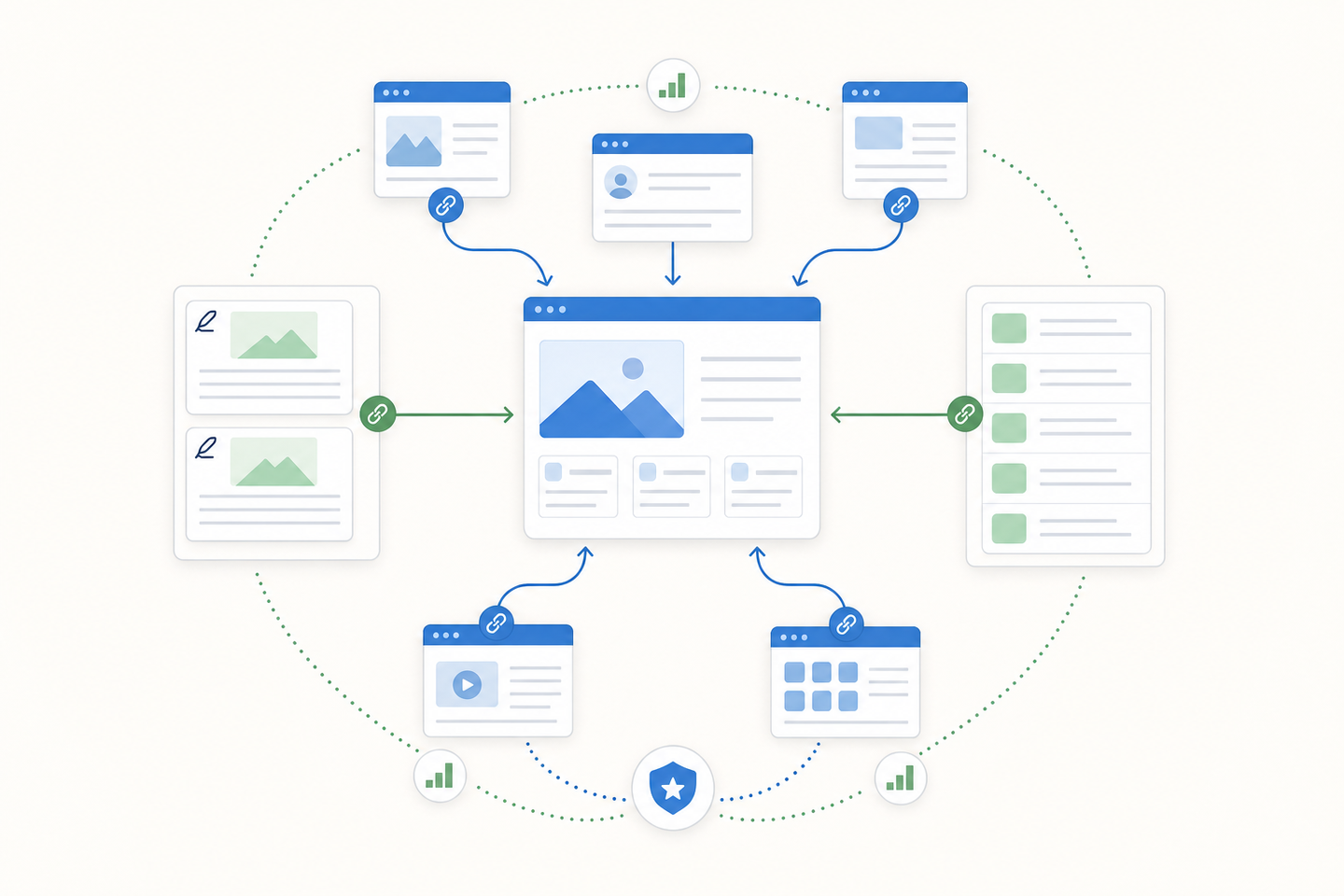
Backlinks are links from other sites to yours. Google counts them as votes.
Most pages have none. According to Ahrefs' analysis of one billion pages, around 95% sit at zero backlinks, while the majority of top-100 ranking domains have at least one. The gap between ranking and not ranking is often just a handful of links.
Skip agency outreach. Earn links by guest posting, pitching resource pages, and publishing something genuinely worth citing. For a full walkthrough, see our guide on building backlinks without manual outreach.
Local SEO: Ranking in Your Geographic Area
If you run a service business tied to a place, local SEO is the whole game. Backlinko's 2024 local SEO research found that roughly 46% of Google searches carry local intent, and that share hasn't shrunk since.
- Google Business Profile: claim it, fill every field, add photos, pick accurate categories. This is what shows in the map pack.
- Citations: list your name, location, and phone identically across directories like Yelp.
- Reviews: ask happy customers, reply to every one.
- Location pages: build a dedicated page per city with unique content.
Monitoring Performance and Measuring Results
You've done the work. Now confirm it's paying off, or adjust.
- Rankings: track target keyword positions over time. Movement from page three to page one is the leading signal.
- Impressions and clicks: pull these from Search Console. Rising impressions mean more visibility; clicks mean people pick you.
- Organic traffic: watch the trend in GA4, not any single day.
- Conversions: tag goals in GA4 to tie organic visits to signups or sales using the SEO ROI formula.
Check monthly. Daily checking breeds panic.
If impressions climb but clicks stay flat, fix titles and meta descriptions. If rankings stall, the page needs more depth or stronger links.
Common DIY SEO Mistakes to Avoid
Most DIY setbacks come from advice that stopped working years ago.
- Keyword stuffing: cramming the same phrase into every sentence. Google reads it as spam and buries the page. Write for a person.
- Skipping mobile: a desktop-only layout tanks you when most searches happen on phones.
- Ignoring technical debt: broken links and slow loads quietly cap everything else.
- Expecting instant results: SEO compounds over months. Bailing at week three wastes the work done.
- Chasing volume over intent: ranking for a fat keyword nobody buys from barely beats nothing.
Fix the premise before you blame the tactic.
Time Investment: How Many Hours Does DIY SEO Actually Take
SEO is ongoing work, not a weekend project. Most sites that see results put in between 4 and 15 hours a week, depending on your competition and content output.
- Content: the biggest chunk. Writing and updating eats most of your week.
- Keyword research and tracking: a few hours, mostly up front.
- Technical checks and link building: an hour or two regularly.
Can you protect that time every week, for months? If not, that's your signal.
When to Do It Yourself vs. When to Hire Help
Some of this you can run yourself. Some of it isn't worth your time.
Do it yourself when you've got a small site, can spare a few hours weekly, and your market isn't cutthroat. On-page work, keyword research, and content fit here.
Hire help when results are urgent, competition is fierce, or you can't protect the hours. Technical migrations and large-scale link building usually call for a consultant.
How Maintouch Replaces Your SEO Agency With Automated Execution
Everything above takes time you might not have.
If DIY's 10-15 hours a week isn't realistic, but a traditional agency feels slow and overpriced, that's the gap Maintouch fills.
Most tools hand you data and stop. You still write the content, push the fixes, chase the links. Maintouch executes the work instead of just flagging it. Strategy, content, technical SEO, backlinks, and reporting run automatically. Your time commitment lands around 15 to 20 minutes a week.
| Workstream | What Maintouch does automatically |
|---|---|
| Strategy | Tracks competitor rankings, mines sales calls for the questions customers actually ask |
| On-page | Crawls your site daily, pushes metadata and technical fixes straight to your CMS |
| Content | Drafts and optimizes content with internal linking and cited sources |
| Backlinks | Automatically secures backlinks and confirms links stay live |
A dedicated strategist steers it through regular standing meetings. The agents do the rest.
Final Thoughts on Managing SEO In-House
You can run this yourself. The work isn't secret and the tools are accessible.
What kills most attempts is the ongoing time commitment and the temptation to bail before the compounding kicks in. If you've got the discipline to stay on it for six months, you'll see traction.
Shoot me a message if you'd rather automate most of the execution and keep your focus on the business instead of chasing backlinks.
FAQ
Can I do SEO without paying for tools?
Yes. Google Search Console and Google Analytics 4 are free and cover keyword tracking, indexing, and traffic measurement. Paid tools like Semrush help with research but aren't required to start ranking.
How do I do SEO for free if I'm just starting?
Set up Search Console, pull what queries you already rank for, then write content targeting long-tail keywords with low competition. Fix technical basics like page speed and mobile layout, then build links through guest posts and resource page pitches.
What is SEO and how does it work for business?
SEO is search engine optimization: getting pages to rank in Google so people searching for what you sell find you instead of a competitor. Organic search drives 53% of all website traffic and costs nothing per click, making it the most scalable acquisition channel for most businesses.
How long does SEO take before you see results?
In our work with client sites, most see early movement within 2-3 months when they publish regularly and fix technical debt, though timelines vary widely by niche and competition. Ranking from page three to page one takes consistent work over months, not weeks. Anyone promising instant results is lying.
What's the difference between doing SEO yourself vs. hiring an agency?
DIY takes 4-15 hours weekly and works if your market isn't competitive and you can protect that time. Agencies make sense when results are urgent or you're facing entrenched competitors, but most charge for strategy instead of execution.
What SEO tools do I actually need if I'm doing it myself?
Google Search Console and Google Analytics 4 cover the basics for free. Add a keyword research tool like Semrush or Ahrefs once you're ready to scale beyond what Search Console shows you. Most beginners waste money on tools before they've fixed the fundamentals.
How often should I publish new content to see SEO results?
Publish one solid piece weekly if you can protect the time. Quality beats frequency when you're starting out. A single well-researched post that matches search intent and earns links will outrank ten thin posts that don't.
Do I need to optimize for mobile separately from desktop?
No, but your site needs to work on mobile first since most searches happen on phones. Test in Google's mobile-friendly tool and fix anything that breaks. A desktop-only layout tanks rankings regardless of your content quality.
What's the easiest way to get backlinks without paying for them?
Guest posting on sites your customers read is the most reliable free method. Find blogs that accept contributions, pitch a topic their audience wants, write it, get your link. Skip link exchanges and comment spam, Google reads both as manipulation.
How do I know if a keyword is too competitive for me to rank for?
Look at who ranks on page one. If it's all big brands with massive backlink profiles, skip it and go after long-tail variations instead. Use a tool like Ahrefs to check domain rating on the top ten results, anything above 60 is usually out of reach for new sites.
Does SEO work the same on YouTube and Google?
The principles are similar but YouTube weighs watch time and engagement over backlinks. Optimize your title and description with target keywords, but the algorithm cares more about whether people actually watch your video through to the end.
Can I do SEO myself if I'm not technical?
Yes. Most SEO is writing, keyword research, and basic fixes you can handle through your CMS without touching code. The technical stuff like site speed and schema matters, but you can hire a developer for a one-time cleanup while you handle content and strategy yourself.
Turn search into your best growth channel.
Maintouch tracks your visibility across AI and Google, creates and refreshes content, and gets your brand mentioned on the sites that shape discovery.
Book a demoRelated reading
All posts